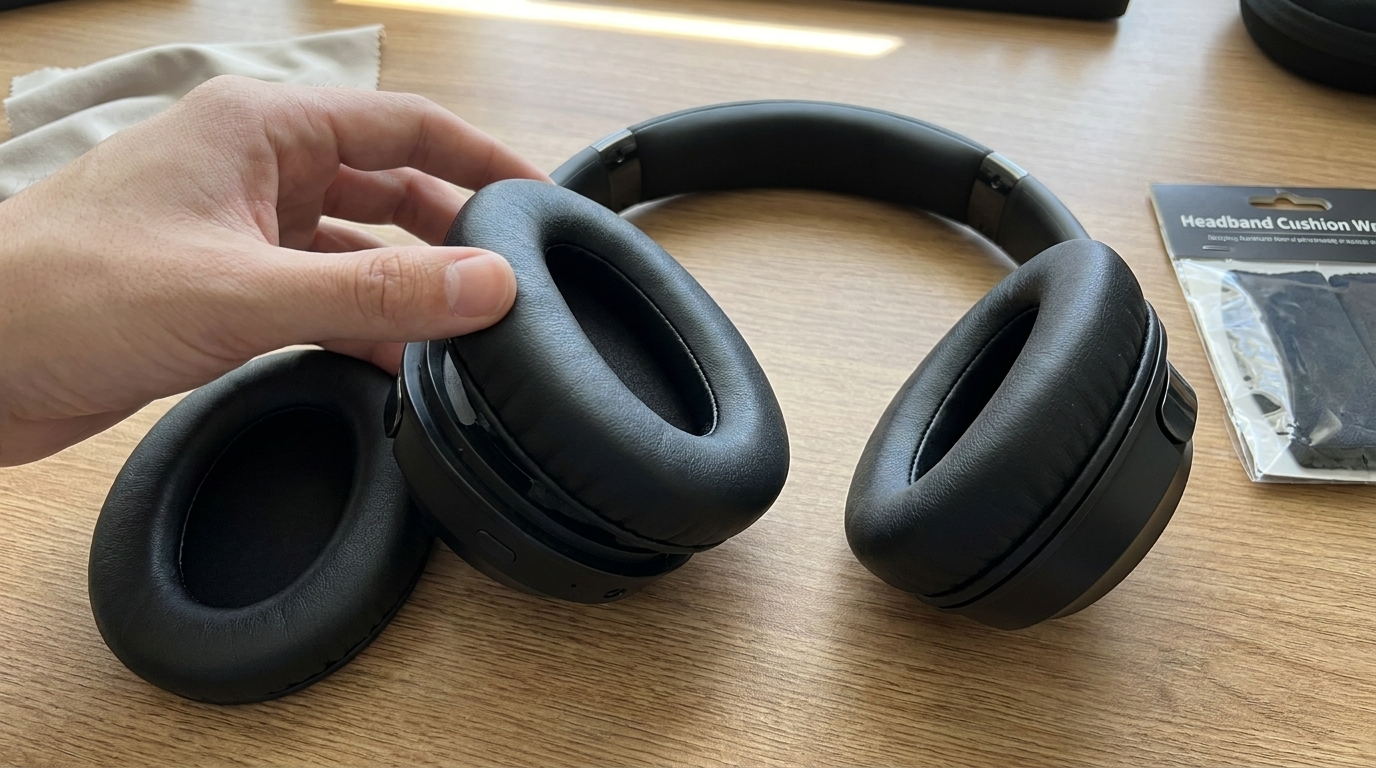
You can improve comfort by adjusting the headband, replacing the earpads, and reducing pressure points. Many people find that the Beribes Over-Ear Headphones feel tight after a few hours. However, a few simple changes can make a big difference. For a detailed look at this model, see this guide to Beribes Over-Ear Headphones. Then you can apply the fixes below to enjoy longer, more comfortable listening sessions.
To improve comfort, first adjust the headband to reduce clamping force. Then consider thicker earpads or a headband cushion. Also take regular breaks and reposition the headphones. If discomfort persists, check for pressure points and modify accordingly. These steps usually solve most comfort issues without buying a new pair.
Key Takeaways
- Adjust the headband sliders evenly to reduce excess pressure on the top of your head.
- Replace thin or worn earpads with thicker memory foam or velour pads for better cushioning.
- Add a headband cushion or wrap to soften the contact area and prevent sore spots.
- Take a short break every hour to let your ears and head recover from constant pressure.
- Check for glasses arms or hair accessories that create painful pressure points under the pads.
- Store the headphones on a stand to maintain their shape and prevent headband distortion.
Why Do Beribes Over-Ear Headphones Sometimes Feel Uncomfortable?
Most over-ear headphones, including Beribes models, can cause discomfort for a few common reasons. The clamping force may be too strong for your head size. The earpads might be too thin or made of a material that traps heat. Also, the headband padding may not distribute weight evenly. Additionally, the overall weight of the headphones can create pressure on your neck and jaw. Understanding the specific cause helps you choose the right fix.
Clamping Force and Head Size
Clamping force is the inward pressure that the headband applies to your head. New headphones often feel tight because the headband has not yet relaxed. If you have a larger head, that pressure becomes painful quickly. Conversely, a small head may cause the headphones to slide around. Both situations lead to discomfort. You can usually adjust the clamping force without damaging the headphones.
Earpad Material and Thickness
Thin earpads allow the hard plastic driver housing to press against your ears. That direct contact causes soreness after a short time. Also, some materials like faux leather do not breathe well. They trap heat and moisture, which makes your ears feel hot and itchy. Velour or fabric pads breathe better, but they may not isolate noise as effectively. Thicker memory foam pads can relieve pressure by adding distance between your ear and the driver.
Headband Padding and Weight Distribution
The headband rests on the top of your skull. If the padding is too thin or too narrow, it creates a concentrated pressure point. Over time, that spot becomes tender. Additionally, heavier headphones pull down more, increasing pressure on the top of your head. A wider, softer headband cushion spreads the weight over a larger area. That simple change often provides immediate relief.
How to Adjust the Headband for a Better Fit
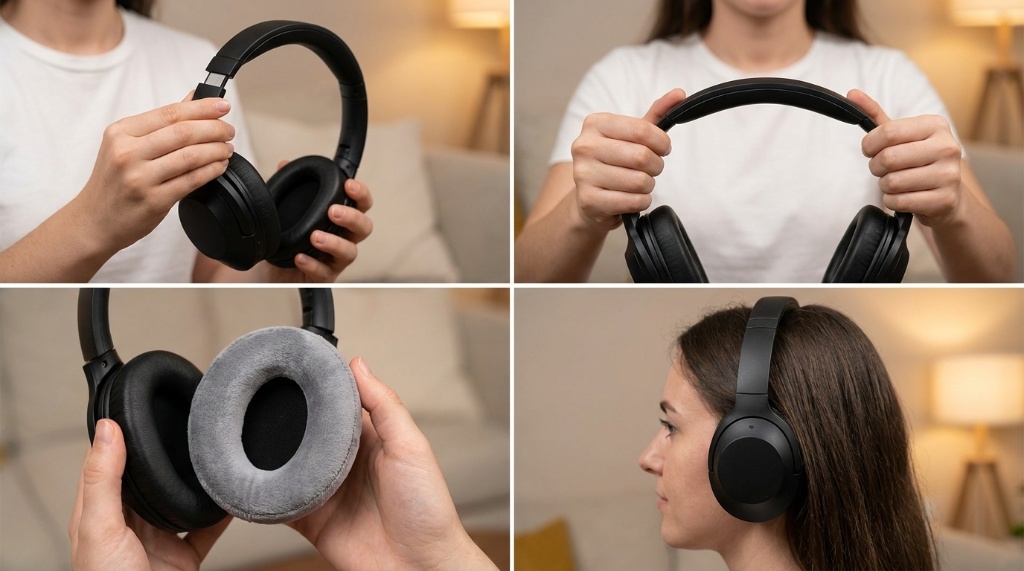
Start by extending the headband sliders evenly on both sides. Then place the headphones on your head and check the fit. The earpads should sit comfortably around your ears, not press them against your skull. If the headphones feel too tight, gently bend the headband outward. Do this slowly and carefully to avoid cracking the plastic or metal. Test the fit after each small adjustment.
Step-by-Step Headband Adjustment
- Extend both sliders by the same number of notches. This keeps the headphones centered.
- Put the headphones on and notice where the pressure is strongest.
- If the top of your head hurts, the headband needs more padding or less clamping force.
- If your ears hurt, the earpads may be too thin or the clamping force is too high.
- To reduce clamping force, hold the headband with both hands and gently flex it outward.
- Hold for a few seconds, then release. Repeat until the fit feels comfortable.
- Avoid bending the headband too far, as this can weaken the material.
Risks of Over-Bending the Headband
Over-bending can crack the headband or cause it to lose its shape permanently. Once the headband becomes too loose, the headphones may fall off your head. Also, a bent headband can create uneven pressure on one side. That leads to new discomfort. Therefore, make small adjustments and stop when the fit feels right. If you are unsure, consider using a headband cushion instead of bending.
Upgrading Ear Pads for Immediate Relief
Replacing the stock earpads is one of the most effective comfort upgrades. Thicker memory foam pads add cushioning and reduce pressure on your ears. Velour pads allow more airflow, which keeps your ears cooler. Cooling gel pads can also help if heat is your main problem. However, not all pads fit every headphone model. You need to check the mounting mechanism and size before buying.
Choosing the Right Replacement Pads
Look for pads that match the diameter of your Beribes headphones. Most over-ear pads attach by stretching over a lip or using a plastic ring. Measure the old pads before ordering. Also, consider the depth of the pad. Deeper pads give your ears more room. That prevents the driver from touching your ear. If you wear glasses, deeper pads also reduce pressure from the glasses arms.
How to Replace Ear Pads Safely
First, gently peel the old pad away from the mounting ring. Work slowly to avoid tearing the material. Then align the new pad with the ring and press it into place. Make sure the pad sits evenly all around. Finally, test the fit on your head. If the pad feels loose, reattach it. A properly installed pad should stay in place during normal use.
Reducing Pressure Points with Simple Mods
Pressure points often appear on the top of your head or behind your ears. You can relieve them with a few inexpensive modifications. A headband cushion adds a soft layer between the headband and your skull. You can buy one or make a simple wrap from soft fabric. Also, check if your glasses arms press against your head under the earpads. If so, adjust the glasses or use thinner frames.
DIY Headband Cushion Options
You can wrap a piece of soft fleece or felt around the headband. Secure it with tape or a few stitches. Another option is to use a padded headband cover designed for headphones. These covers are inexpensive and easy to install. They add thickness without changing the headphone’s appearance. Just make sure the cover does not block any buttons or ports.
Dealing with Glasses and Hair Accessories
Glasses arms can create a painful pressure point under the earpads. Try moving the arms slightly up or down. You can also use a thinner temple arm or switch to contact lenses for long sessions. Hair clips and headbands can cause similar issues. Remove them before wearing your headphones. If you must wear a headband, choose a flat, thin one that does not add bulk.
Managing Weight and Heat Buildup
Weight and heat are two common comfort killers. Heavier headphones pull down on your head and neck. To manage weight, take frequent breaks and avoid wearing them for hours without rest. Also, sit up straight to reduce strain on your neck. For heat, choose breathable earpads like velour. Keep your room cool and avoid wearing headphones over a hat or thick hair.
Break Schedule for Long Listening Sessions
Take a five-minute break every hour. During that break, remove the headphones and let your ears breathe. Stand up and stretch your neck and shoulders. This simple habit prevents soreness and fatigue. If you listen for work, set a timer to remind you. Even a short break makes a big difference over a full day.
Cooling Tips for Hot Ears
If your ears get hot, try cooling gel earpads. You can also place the headphones in front of a fan for a few minutes before wearing them. Avoid using them in direct sunlight or in a hot car. Additionally, do not cover the earpads with your hands. That traps heat. Instead, let air circulate around your ears whenever possible.
Practical Daily Habits for Long-Term Comfort
Good habits keep your headphones comfortable day after day. Always store them on a stand or in a case. That prevents the headband from getting bent or twisted. Clean the earpads regularly to remove sweat and oil. Dirty pads become stiff and lose their cushioning. Also, rotate between different headphones if you have more than one pair. That gives your head a break from the same pressure points.
Cleaning and Maintaining Earpads
Wipe the earpads with a soft, damp cloth after each use. For velour pads, use a gentle brush to remove dust. Avoid soaking the pads in water. If the pads become cracked or flaky, replace them. Worn pads cannot provide proper cushioning. Also, check the headband for cracks or loose screws. Tighten any loose parts to keep the fit stable.
When to Consider a Different Headphone Design
Sometimes comfort issues cannot be fully solved. If you have a very large head or sensitive ears, over-ear headphones may never feel perfect. In that case, consider on-ear or in-ear models. However, those designs have their own trade-offs. On-ear headphones press directly on your ears. In-ear headphones can cause ear canal fatigue. Test different styles before switching. For many people, the adjustments above make Beribes headphones comfortable enough for daily use.
Frequently Asked Questions
Can I stretch the headband on Beribes headphones?
Yes, you can gently bend the headband outward to reduce clamping force, but do it slowly to avoid cracking the material.
What earpads fit Beribes over-ear headphones?
You need pads that match the diameter and mounting style of your specific model, so measure the old pads before ordering replacements.
How do I stop my ears from getting hot?
Switch to velour or cooling gel earpads, take regular breaks, and keep your room cool to reduce heat buildup.
Are Beribes headphones good for glasses wearers?
They can be, but thicker earpads and slight angle adjustments often relieve pressure from glasses arms behind your ears.
How long should I wear them before a break?
Take a five-minute break every hour to let your ears and head recover from constant pressure.
Conclusion
Improving comfort on your Beribes Over-Ear Headphones comes down to a few practical fixes. Adjust the headband, upgrade the earpads, and add a headband cushion. Then take regular breaks and store the headphones properly. Start with the easiest change first, like adjusting the sliders. If that does not help, try new earpads. Your ears will feel better, and you can enjoy your music for longer. Pick one adjustment today and test it during your next listening session.