Over 60 percent of headphone users report comfort as their top priority when choosing audio gear. The bose quiet comfort headphones are famous for their plush ear pads and noise-canceling features. Yet even the best ear pads wear out over time. Replacing them restores comfort and sound quality. This guide will walk you through the process step by step.
Why Replace Your Ear Pads
Ear pads lose their shape and softness after months of use. Sweat and oils from your skin can break down the material. This leads to a less secure fit and reduced noise isolation. New ear pads improve comfort during long listening sessions.
Worn-out pads also affect sound quality by changing how the headphones seal around your ears. Replacing them ensures you get the best audio experience. It also keeps your headphones looking fresh and well-maintained.
Signs Your Ear Pads Need Replacement
Visible cracks or peeling on the surface are clear signs of wear. Flattened padding that no longer bounces back is another red flag. You may also notice reduced noise cancellation during use.
Discomfort during extended use often means the pads have hardened. If the headphones slip off your head more easily, the pads may have lost their grip. These are all signals it is time for a change.
Tools and Materials You Will Need
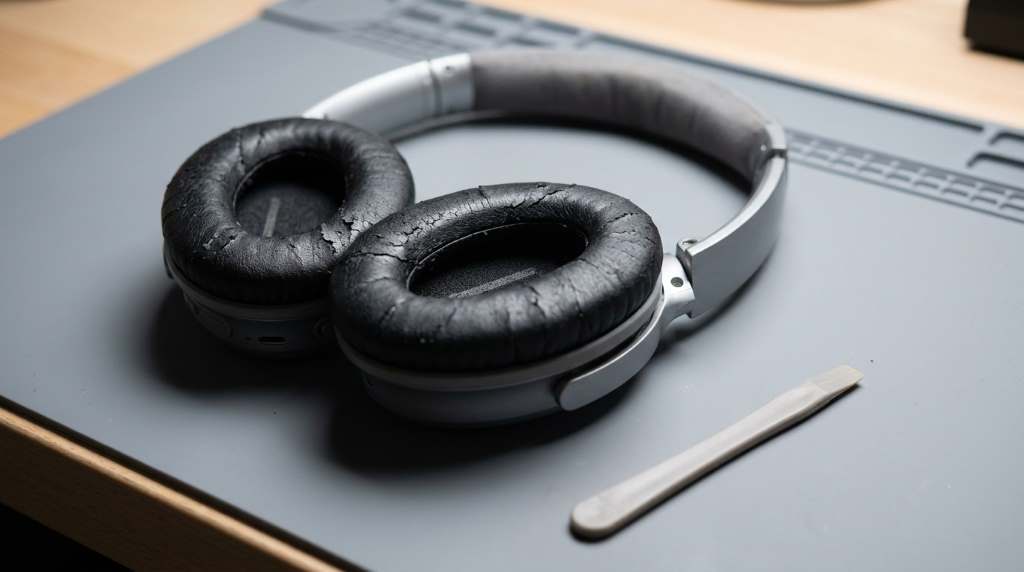
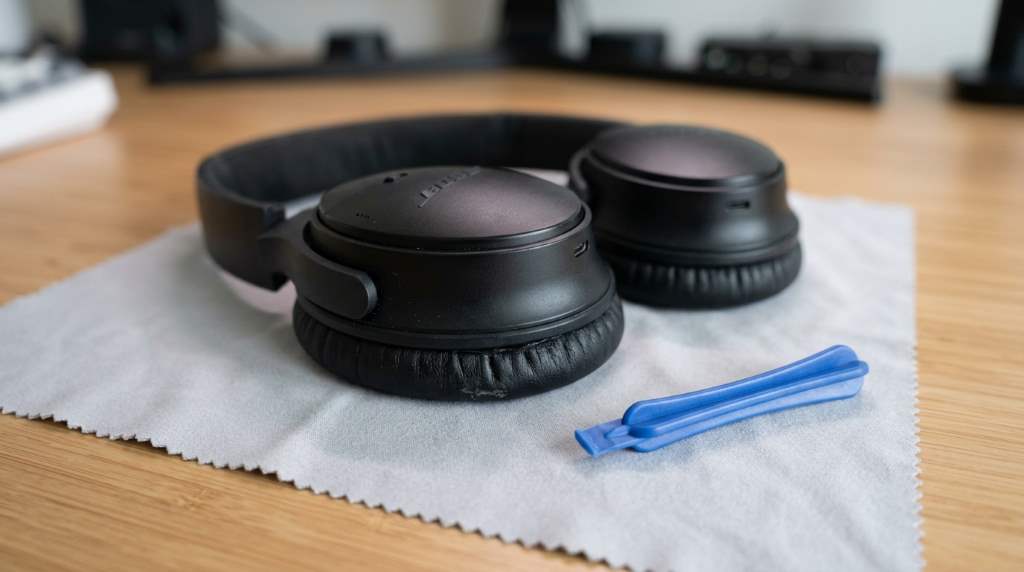
Gather a few simple tools before you start the replacement process. You will need a small flat-head screwdriver or a plastic pry tool. A soft cloth can help protect the headphone surface from scratches.
Have your new ear pads ready and ensure they are compatible with your Bose QuietComfort model. A clean workspace with good lighting will make the task easier. Keep a small container handy for any screws you remove.
Step-by-Step Guide to Replacing Ear Pads
Step 1: Remove the Old Ear Pads
Start by gently peeling back the edge of the ear pad from the headphone cup. Use your fingers or a plastic pry tool to avoid damaging the frame. Work your way around the pad until it comes loose.
Some models have clips or adhesive holding the pad in place. If clips are present, carefully unclip them with your screwdriver. For adhesive pads, slowly pull the pad away from the cup.
Step 2: Clean the Headphone Cups
Once the old pad is off, use a soft cloth to wipe down the headphone cup. Remove any dust or adhesive residue left behind. This ensures a smooth surface for the new pad to attach.
Avoid using harsh chemicals or abrasive materials that could damage the headphone finish. A damp cloth with mild soap works well for most cleaning needs. Dry the surface completely before proceeding.
Step 3: Attach the New Ear Pads
Align the new ear pad with the headphone cup. Most replacement pads have a lip or groove that fits over the edge of the cup. Press the pad firmly into place starting from one side.
Work your way around the cup ensuring the pad is securely attached. If your pads use adhesive, press down firmly for a few seconds to help it stick. Check for any gaps or loose edges before finishing.
Tips for a Successful Replacement
Take your time when removing the old pads to avoid tearing them. If the pads are stubborn, applying a bit of heat with a hairdryer can soften the adhesive. This makes removal easier and safer.
When attaching new pads, ensure they are aligned correctly before pressing them down. Misaligned pads can look unsightly and may not provide a good seal. Double-check your work before moving to the next step.
Choosing the Right Replacement Ear Pads
Not all ear pads are created equal. Look for pads made from high-quality memory foam for the best comfort. Velour or protein leather covers are popular for their durability and feel.
Ensure the pads you choose are designed for your specific Bose QuietComfort model. Some third-party pads offer unique colors or materials for a custom look. Always read reviews to gauge quality before purchasing.
Maintaining Your New Ear Pads
Regular cleaning can extend the life of your new ear pads. Use a soft brush or cloth to remove dust and debris. For deeper cleaning, a slightly damp cloth with mild soap can be used.
Avoid exposing your headphones to extreme heat or moisture. Store them in a cool, dry place when not in use. This prevents the pads from breaking down prematurely.
Common Mistakes to Avoid
One common mistake is rushing the process and damaging the headphone frame. Always use gentle pressure when removing or attaching pads. Another mistake is using incompatible pads that do not fit properly.
Avoid using sharp tools that could scratch or puncture the headphone cups. Also, do not use excessive adhesive as it can make future replacements more difficult. Patience and care are key to a successful replacement.
Unique Discussion: Customizing Your Ear Pads
Did you know you can customize your Bose QuietComfort headphones with unique ear pads? Some companies offer pads in various colors and materials. This allows you to personalize your headphones to match your style.
Custom pads can also provide additional comfort for specific needs. For example, some users prefer gel-infused pads for extra cushioning. Others may opt for cooling gel pads to reduce heat buildup during long sessions.
Exploring these options can enhance both the look and feel of your headphones. It is a simple way to make your audio experience even more enjoyable. Always ensure custom pads are compatible with your model.
Conclusion
Replacing the ear pads on your Bose QuietComfort headphones is a simple process. It can restore comfort and improve sound quality. With the right tools and a bit of patience, anyone can do it at home.
Regular maintenance and careful replacement will keep your headphones in top condition. Do not wait until your pads are completely worn out. Take action at the first signs of wear for the best experience.
Ready to give your headphones a fresh feel? Grab a set of replacement ear pads and follow this guide to get started today.
FAQ
How often should I replace my ear pads?
Replace your ear pads every 6 to 12 months depending on usage and wear.
Can I use third-party ear pads for my Bose QuietComfort headphones?
Yes, many third-party ear pads are compatible and offer a variety of materials and colors.
Do I need any special tools to replace the ear pads?
A small flat-head screwdriver or plastic pry tool is helpful but not always necessary.
Will replacing the ear pads affect my headphone warranty?
Replacing ear pads typically does not void the warranty as long as you do not damage the headphones.
How do I know if the new ear pads will fit my Bose model?
Check the product description for compatibility with your specific Bose QuietComfort model