
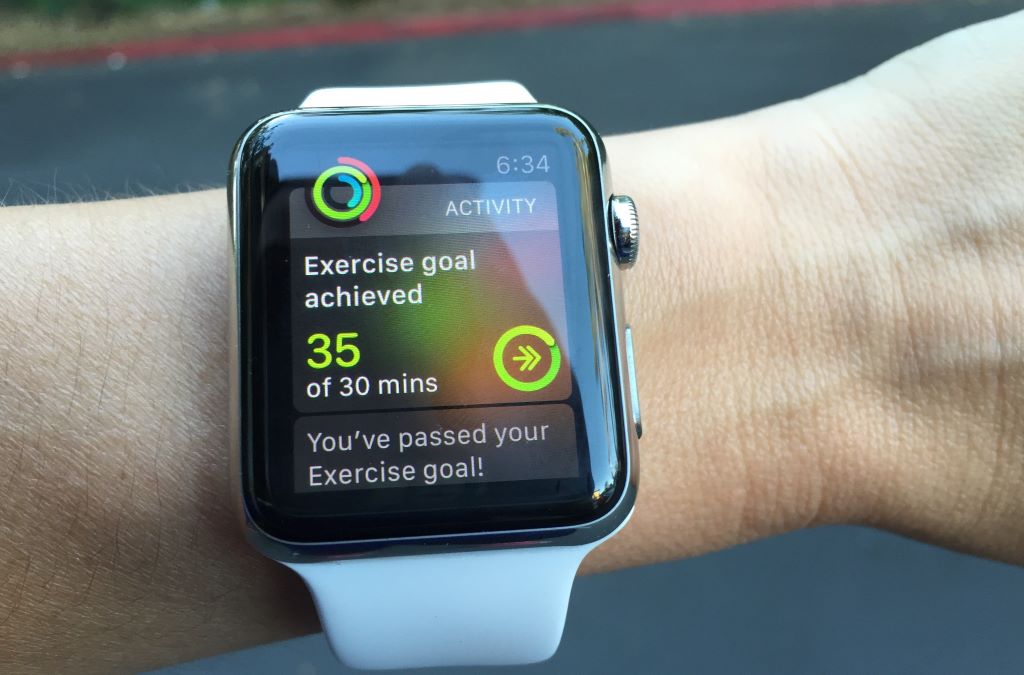
In today’s fast-paced world, staying on top of your fitness goals can feel overwhelming. Between work, family, and social commitments, finding time to exercise and monitor progress is a challenge. That’s where a smartwatch comes in. It’s not just a timepiece but a powerful tool that can help you track, motivate, and achieve your daily fitness goals with ease.
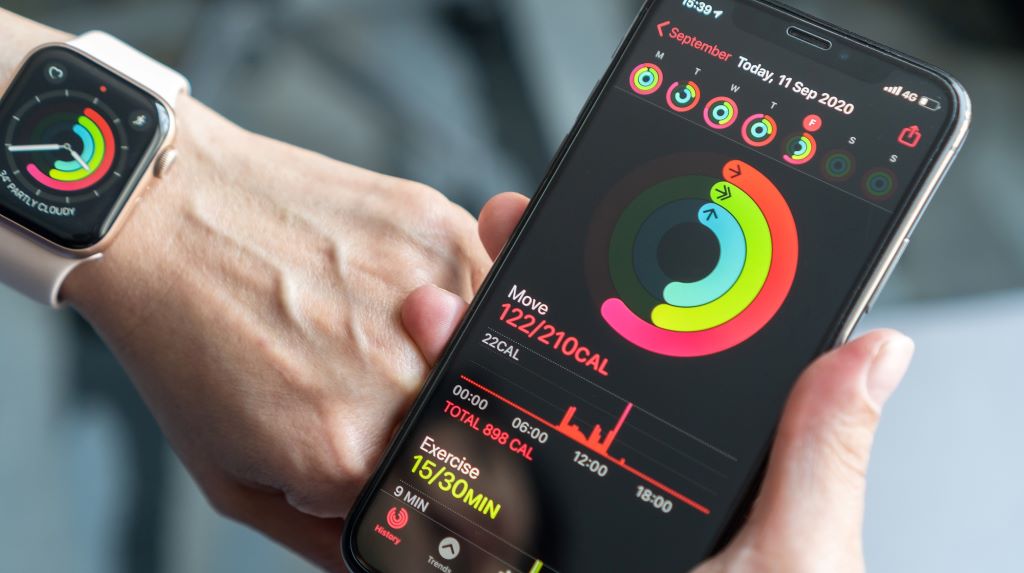
I remember when I first started using a smartwatch to track my fitness. I was amazed at how much it motivated me to move more, drink enough water, and even sleep better. The real-time feedback and gentle reminders kept me accountable in ways I never expected. Suddenly, hitting my daily step goal or closing my activity rings felt like a real accomplishment.
In this guide, I’ll show you how to use a smartwatch to track your daily fitness goals effectively and make the most of its features.
Why a Smartwatch is a Game-Changer for Fitness Tracking
A smartwatch is more than just a fancy accessory—it’s a personal fitness coach on your wrist. According to a study by Harvard Health Publishing, people who use wearable fitness trackers are more likely to meet their daily activity goals compared to those who don’t. This is because smartwatches provide real-time data, reminders, and insights that help you stay on track and make healthier choices throughout the day.
One of the biggest advantages of a smartwatch is its ability to monitor multiple aspects of your health and fitness in one place. From tracking your steps and calories burned to monitoring your heart rate and sleep patterns, a smartwatch gives you a comprehensive view of your daily activity. For more insights on how to maximize your device, check out these smartwatch fitness tracking tips.
However, not all smartwatches are created equal. Some may lack the features or accuracy needed to track your fitness goals effectively. Therefore, understanding how to use your smartwatch to its full potential is key.
Key Features to Look For in a Smartwatch
When choosing a smartwatch for fitness tracking, the first feature to consider is its activity tracking capabilities. A good smartwatch should be able to track a variety of activities, from walking and running to swimming and cycling. Look for a model that offers automatic activity detection, which can recognize when you start and stop an exercise session without manual input.
Next, pay attention to the heart rate monitor. A built-in heart rate monitor allows you to track your heart rate in real time, providing insights into your cardiovascular health and exercise intensity. Some smartwatches also offer heart rate zone training, which helps you optimize your workouts by staying within a specific heart rate range.
Additionally, consider the smartwatch’s GPS functionality. GPS allows you to track the distance, pace, and route of your outdoor activities, such as running or cycling. This feature is especially useful for monitoring progress and setting new goals. According to Consumer Reports, smartwatches with built-in GPS provide more accurate distance and pace tracking compared to those that rely on your smartphone’s GPS.
Finally, think about the smartwatch’s battery life. A longer battery life means you can track your fitness goals for days or even weeks without needing to recharge. Look for a model with a battery life of at least 2-3 days, or longer if you plan to use it for extended outdoor activities.
Setting Up Your Fitness Goals
Before you start tracking your fitness goals with a smartwatch, it’s important to set clear, achievable objectives. Begin by identifying what you want to accomplish, whether it’s increasing your daily step count, improving your cardiovascular health, or losing weight. Having specific goals will help you stay motivated and focused.
Most smartwatches allow you to set daily, weekly, or monthly goals for various metrics, such as steps, calories burned, active minutes, and distance. Start with realistic goals based on your current fitness level and gradually increase them as you progress. For example, if you currently walk 3,000 steps a day, aim for 5,000 steps and slowly work your way up to 10,000 steps or more.
Additionally, consider setting goals for different types of activities. For instance, you might aim to run 3 times a week, swim once a week, and do strength training twice a week. This variety not only keeps your workouts interesting but also ensures you’re working on different aspects of your fitness.
Finally, use your smartwatch’s companion app to track your progress and adjust your goals as needed. Many apps provide insights and recommendations based on your activity data, helping you optimize your fitness routine.
Tracking Daily Activity and Movement
One of the most basic yet powerful features of a smartwatch is its ability to track your daily activity and movement. Most smartwatches come with a step counter that monitors the number of steps you take throughout the day. This feature is a great way to stay motivated and ensure you’re moving enough to meet your fitness goals.
In addition to tracking steps, many smartwatches also monitor your active minutes, which are the minutes you spend engaging in moderate to vigorous physical activity. Aim for at least 150 minutes of moderate activity or 75 minutes of vigorous activity per week, as recommended by the World Health Organization.
Another useful feature is the distance tracker, which measures how far you’ve traveled during your workouts. This is especially helpful for runners, walkers, and cyclists who want to monitor their progress and set distance-based goals. Additionally, some smartwatches offer a “move reminder” feature, which alerts you to get up and move if you’ve been inactive for too long.
Finally, consider using your smartwatch to track your sedentary time. Prolonged sitting has been linked to various health issues, including obesity, heart disease, and diabetes. By monitoring your sedentary time, you can make a conscious effort to stand up, stretch, and move around more often.
Monitoring Heart Rate and Exercise Intensity
A smartwatch with a heart rate monitor can provide valuable insights into your cardiovascular health and exercise intensity. By tracking your heart rate in real time, you can ensure you’re working out at the right intensity to achieve your fitness goals.
Most smartwatches offer heart rate zone training, which divides your heart rate into different zones based on the intensity of your workout. For example, the fat-burning zone typically ranges from 60% to 70% of your maximum heart rate, while the cardio zone ranges from 70% to 80%. By staying within a specific heart rate zone, you can optimize your workouts for fat loss, endurance, or performance.
Additionally, consider using your smartwatch to monitor your resting heart rate. A lower resting heart rate is generally a sign of good cardiovascular health and fitness. Over time, you can track changes in your resting heart rate to gauge your progress and identify potential health issues.
Finally, some smartwatches offer a feature called “VO2 max,” which measures the maximum amount of oxygen your body can use during exercise. This metric is a good indicator of your cardiovascular fitness and can help you track your progress over time.
Sleep Tracking and Recovery
Sleep is a crucial component of overall health and fitness. A smartwatch with sleep tracking capabilities can help you monitor your sleep patterns, identify potential issues, and make improvements to your sleep hygiene.
Most smartwatches track the duration and quality of your sleep, dividing it into different stages, such as light sleep, deep sleep, and REM sleep. By understanding your sleep stages, you can gain insights into the quality of your rest and make adjustments to improve it. According to the National Sleep Foundation, adults should aim for 7-9 hours of sleep per night for optimal health and well-being.
Additionally, consider using your smartwatch to track your sleep consistency. Going to bed and waking up at the same time every day can help regulate your body’s internal clock and improve the quality of your sleep. Some smartwatches also offer a “sleep score” feature, which provides a overall rating of your sleep quality based on various metrics.
Finally, pay attention to your recovery metrics. Some smartwatches offer features like heart rate variability (HRV) and recovery time, which can help you understand how well your body is recovering from workouts and daily stress. By monitoring these metrics, you can make informed decisions about when to push harder and when to take a rest day.
Using Workout Modes for Specific Activities
Most smartwatches come with pre-set workout modes for specific activities, such as running, cycling, swimming, and strength training. These modes allow you to track the metrics that are most relevant to your workout, providing a more accurate and detailed view of your performance.
For example, if you’re going for a run, select the running mode on your smartwatch. This will track metrics like distance, pace, and calories burned, as well as your heart rate and route (if GPS is enabled). Some smartwatches also offer advanced running metrics, such as cadence, stride length, and ground contact time, which can help you improve your running form and efficiency.
If you’re hitting the gym, use the strength training mode to track your workouts. This mode typically monitors your heart rate, calories burned, and the duration of your workout. Some smartwatches also allow you to log specific exercises and sets, providing a more detailed view of your strength training progress.
For swimmers, look for a smartwatch with a swimming mode that tracks metrics like distance, pace, and stroke count. Some smartwatches are also waterproof and can be worn in the pool or open water. According to Swim Smooth, tracking your swimming metrics can help you identify areas for improvement and set new goals.
Syncing with Fitness Apps for Comprehensive Tracking
To get the most out of your smartwatch, consider syncing it with a fitness app. Most smartwatches are compatible with popular fitness apps like Apple Health, Google Fit, Strava, and MyFitnessPal. These apps provide a comprehensive view of your fitness data, allowing you to track your progress, set goals, and gain insights into your health and well-being.
Syncing your smartwatch with a fitness app also allows you to share your data with friends, family, or a personal trainer. This can provide additional motivation and accountability, helping you stay on track with your fitness goals. Additionally, some apps offer social features, such as challenges and leaderboards, which can make fitness tracking more fun and engaging.
Finally, consider using your smartwatch’s companion app to set reminders and notifications. For example, you can set a reminder to drink water, take a break from sitting, or go to bed at a consistent time. These small prompts can help you build healthier habits and stay on track with your fitness goals.
Battery Life and Maintenance Tips
To ensure your smartwatch lasts as long as possible, it’s important to take care of its battery and overall maintenance. Most smartwatches have a battery life of 1-7 days, depending on the model and usage. To extend your smartwatch’s battery life, consider disabling features you don’t use regularly, such as GPS or continuous heart rate monitoring. Additionally, lower the screen brightness and reduce the frequency of notifications.
Regularly clean your smartwatch to keep it in good working condition. Use a soft, damp cloth to wipe down the screen and body of the watch, and avoid using harsh chemicals or abrasives. If your smartwatch is waterproof, rinse it with fresh water after swimming or sweating to remove any salt, chlorine, or dirt.
Finally, keep your smartwatch’s software up to date. Manufacturers regularly release software updates that can improve the watch’s performance, fix bugs, and add new features. Check for updates regularly and install them as needed to ensure your smartwatch is running smoothly.
Conclusion
Using a smartwatch to track your daily fitness goals is a game-changer. By understanding its key features, setting clear objectives, and syncing with fitness apps, you can maximize its potential and stay motivated to achieve your health and fitness aspirations.
I’ve seen firsthand how a smartwatch can transform your approach to fitness. The real-time feedback, reminders, and insights have helped me stay accountable and make healthier choices every day. With the right setup and mindset, you too can harness the power of your smartwatch to reach your goals.
Now it’s your turn. Use this guide to make the most of your smartwatch and start tracking your fitness goals today. If you have your own tips or experiences, share them in the comments below. And if you found this guide helpful, don’t forget to share it with your friends and family!
FAQs
What is the best smartwatch for fitness tracking?
The best smartwatch for fitness tracking depends on your specific needs and budget. For most people, the Apple Watch Series or Garmin Venu series offer a great balance of features, accuracy, and ease of use. For budget-friendly options, consider the Fitbit Versa or Amazfit Bip series.
How do I set fitness goals on my smartwatch?
Most smartwatches allow you to set daily, weekly, or monthly goals for various metrics, such as steps, calories burned, active minutes, and distance. Use the companion app to customize your goals based on your current fitness level and objectives.
Can a smartwatch track my sleep?
Yes, most smartwatches come with sleep tracking capabilities that monitor the duration and quality of your sleep, dividing it into different stages, such as light sleep, deep sleep, and REM sleep. Some smartwatches also offer a sleep score and insights to help you improve your sleep hygiene.
How do I sync my smartwatch with a fitness app?
Syncing your smartwatch with a fitness app typically involves downloading the app on your smartphone and following the setup instructions. Most apps will guide you through the process of connecting your smartwatch and customizing your settings.
How do I extend the battery life of my smartwatch?
To extend your smartwatch’s battery life, disable features you don’t use regularly, lower the screen brightness, and reduce the frequency of notifications. Additionally, regularly clean your smartwatch and keep its software up to date for optimal performance.